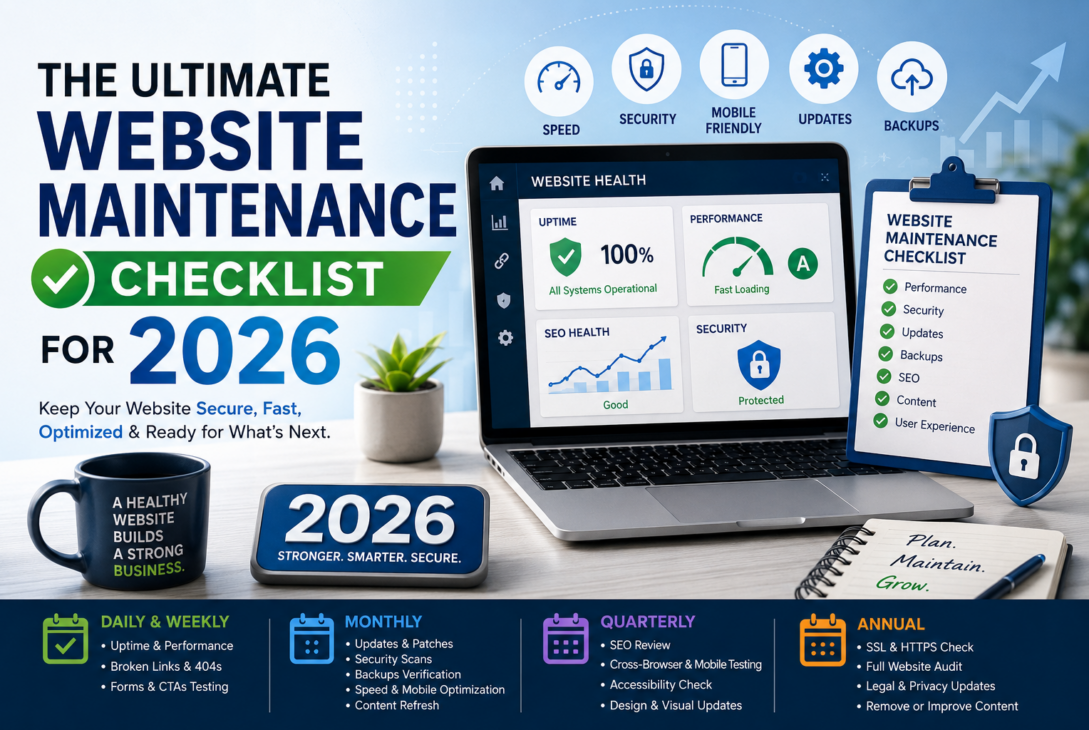
In 2026, your website will be one of the most important business assets you own. It is who represents your brand, drives marketing campaigns, generates leads, builds trust, and helps customers make decisions. Even the best-designed site will deteriorate over time if it is not maintained regularly.
Today, search engines reward sites with better website hosting: speedy, secure, highly mobile-friendly, and frequently updated (by adding content). Meanwhile, users expect a browsing experience to be 10X more perfect on every device. An unattended website can quickly accumulate slow load times, broken links, outdated content, security vulnerabilities, and technical issues that undermine credibility and rankings.
And that is exactly why having a systematic Website Maintenance habit is more important than ever. A smart maintenance checklist ensures you never let problems rear their ugly little heads: you’ll be proactive, keep your site and everything it relies on safe, and make everything perform better in the long run.
Below is the Ultimate 2026 Website Maintenance Checklist to help you keep your website healthy, optimized, and ready for whatever comes next!
Website Maintenance Checklist: Daily & Weekly
Check the website for any Downtime or Performance.
Your visitors should always have access to your website. You can lose customer confidence and your site authority in search results if your site is down often. Get in the habit of checking uptime frequently using a website monitoring tool that notifies you whenever your site goes down.
You must also monitor overall loading speed and response time. Visitors dislike slow websites, and this is reflected in the increase in bounce rate on mobile. Even a few seconds’ delay can lead them to abandon before exploring your content.
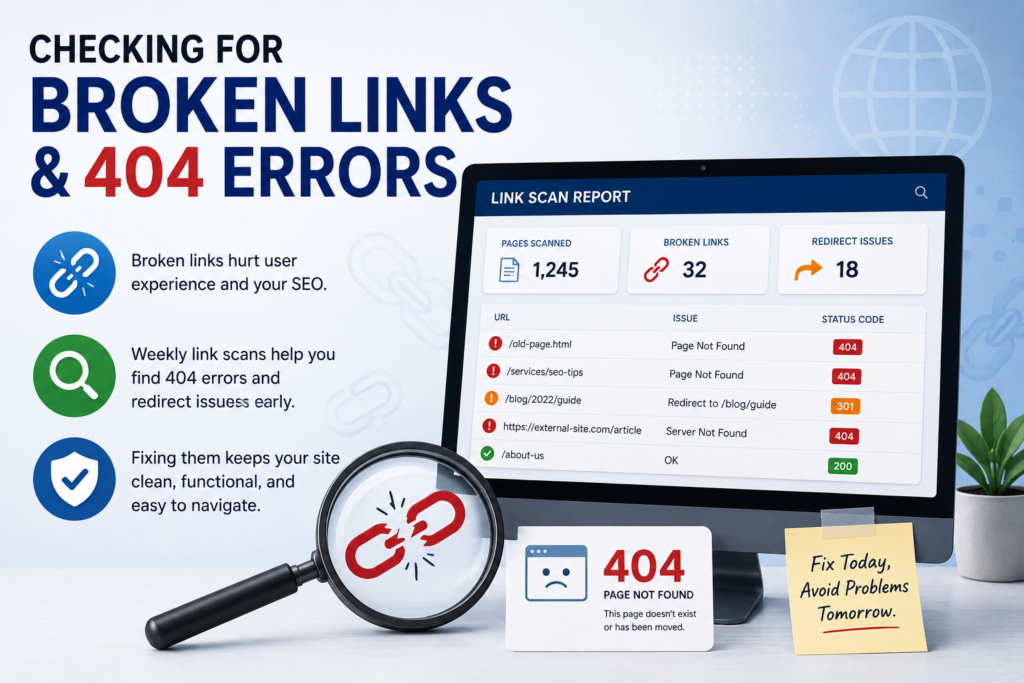
Checking for Broken Links and 404 Errors
Links don’t last forever anyway; pages get deleted, URLs change, or external sites go dark. Broken links are annoying for users and also bad for your SEO!
When you run weekly link scans, you can pick up pages that return a 404 error or redirect to pages that are no longer functioning. Keeping these early under control will keep your site clean, functional, and easy to navigate.
Contact Form and Call-to-Action Tests
Perhaps the most neglected maintenance task is checking that your forms and action buttons work. A silent lead killer – a broken contact form that you do not even know about.
Test critical pieces of a website’s functionality every week. Examples are:
- Contact forms
- Newsletter signups
- Appointment booking forms
- Checkout pages
- Quote request forms
Ensure submissions are routed correctly and that mobile users can not only engage with content but can do so without friction.
Monthly Website Maintenance Checklist
Always Update Your CMS, Plugins, and Themes
The use of outdated software is a major cause of website security issues. Your site, whether it is WordPress, Shopify, or a custom build, requires monthly updates.
Regularly updating your CMS, plugins, themes, and integrations develops:
- Security
- Compatibility
- Website stability
- Performance
- Bug fixes
Always create a backup before installing updates to prevent any accidental data loss.
Perform Security And Malware Scans
Threats to cyber systems continue to grow every year; thus, security monitoring is essential for any website owner.
Scanning for malware, suspicious files, spam injections, unusual login activity, monthly security checks, et. It is also wise to audit admin accounts and revoke access from inactive users.
Your data is in a secure place, which can make a big difference to your reputation and the trust consumers place in you.
Verify Website Backups
Most businesses do not know whether their backups are running correctly because they never test them. A backup is pointless if it can not be used to restore your site when it truly matters.
Each month, confirm that:
- Automatic backups are running properly
- Files and databases are included
- Backup copies are stored securely
- Restoration processes work correctly
You can also make off-site backups to prevent data loss on the server where the business is physically hosted due to failures, ransomware attacks, or other cybersecurity incidents.
Optimizing Website Speed and Mobile Experience
One of the most important factors for rankings and user experience is website speed. By default, visitors expect pages to load almost instantly, especially on smartphones.
Keep an eye on your site’s performance every month to identify issues such as large image sizes, too many scripts, deprecated code, or other intermittent plugins that are slowing your site.
Faster speed reduces bounces, increases engagement, and improves the overall SEO score.
Refresh Important Website Content
Outdated content also makes a business look inactive or non-credible, as if it is shut down. Regular monthly updates to keep your website up to date and on trend.
Review and refresh:
- Homepage messaging
- Service pages
- Team information
- Calls-to-action
- Statistics and achievements
- Blog content
Updating your content, even if it is a small update, showcases that your website is live and working to both your users and search engines.
Quarterly Website Optimization Checklist
Review SEO Fundamentals
Search engine optimization is an ongoing process because search algorithms and user behavior are constantly evolving.
Every couple of months, take a look at these important SEO factors:
- Meta titles
- Meta descriptions
- Heading structures
- Internal linking
- Image alt text
- XML sitemaps
- Robots.txt files
You also find out if you have any duplicate pages, thin content, or outdated keywords that might impact your visibility.
Cross-browser & Mobile Compatibility Testing
Your site must work across all modern browsers and devices, ensuring that a layout that fits perfectly on one screen does not break on another.
You are tested quarterly, and the feedback you receive helps ensure that visitors won? What have you browsed by using:
- Smartphones
- Tablets
- Laptops
- Desktop browsers
It increases usability, engagement, and conversion rate.
Check Website Accessibility
Accessibility improvements are implemented to make your website more user-friendly, especially for people with disabilities.
Seek out issues on your website related to:
- Color contrast
- Font readability
- Keyboard navigation
- Image descriptions
- Proper heading structure
Better accessibility means greater inclusivity, ease of use, and support for modern compliance standards.
Refresh Visual Design Elements
Visual trends change so quickly that if your website has dated graphics alongside valuable content, it can already feel outdated.
Visual updates every quarter can be refreshing:
- Homepage banners
- Images and photography
- Icons and graphics
- Typography
- Brand visuals
Incremental improvements can update your site and provide a new look without a complete redesign.
Annual Website Maintenance Checklist
Check SSL Certificates & HTTPS Security
Users and search engines have come to expect web security as a standard practice. An expired SSL certificate will cause visitors to see browser warnings, which will chase them away.
Check your HTTPS setup at least once per year (and on all individual web pages) to ensure it remains functional.
Conduct a Full Website Audit
An annual site-wide audit highlights bigger-picture problems impacting performance, security, and usability.
Your audit should evaluate:
- Technical SEO
- Website speed
- Security vulnerabilities
- User experience
- Navigation structure
- Conversion performance
- Content quality
This ensures that your website is always working for you and your business.
Update Legal and Privacy Pages
As privacy laws around the world continue to evolve, updating your legal pages is an important annual task.
Review and refresh your:
- Privacy Policy
- Cookie Policy
- Terms of Service
- Data collection disclosures
Being transparent and keeping these pages up to date helps build trust with your users.
Delete Old or Low-Quality Material
Your SEO authority will be weaker if your website contains pages that you no longer need.
Audit underperforming content and determine whether to refresh, combine, redirect, or remove it entirely. Having a cleaner structure across your site improves navigation for users and search engines.
FAQs
How Often To Perform Website Maintenance
Simple checks should be performed weekly, while more technical reviews and optimisations should be conducted on a monthly/quarterly/annual basis.
Website Maintenance and SEO: Why Should It Matter?
Website performance, security, mobile use, and content freshness all influence search rankings and all can improve through regular maintenance.
What Happens If You Do Not Maintain Your Website?
Often left unattended, these web pages become susceptible to cyberattacks, broken functionality, slow speeds, poor rankings, and consumer mistrust.
Do Small Websites Really Need Backups?
Yes. Hackers or accidental deletion can still damage small websites, databases, and server files, making backups essential for recovery.
Do Content Updates Help Search Rankings?
Having fresh, relevant content signals activity and authority to search engines, which can positively impact SEO performance.
Get Your Website Prepared For 2026
For a high-performing site, you have to pay attention to it year-round. Keep it up to date, monitor its security level, keep it fast, improve its content, and there you have a strong digital presence.
This will enable you to maintain a secure, fast, modern website in 2026 and beyond that meets user expectations, and you should do it regularly.